Day 3 · User-tested surveillance route
Security cameras: turn a sighting into a report without losing the order
Once the Sec Cam software arrives, the studio has two jobs at once: complete normal work and turn a confirmed anomaly into a report through the PC.
The CAM_LOBBY USB task
The tested monitoring request uses the USB route. Its Format field is a dash, with a 4 × 6 output and 1 each. Start from the supplied monitoring image instead of taking a fresh portrait.
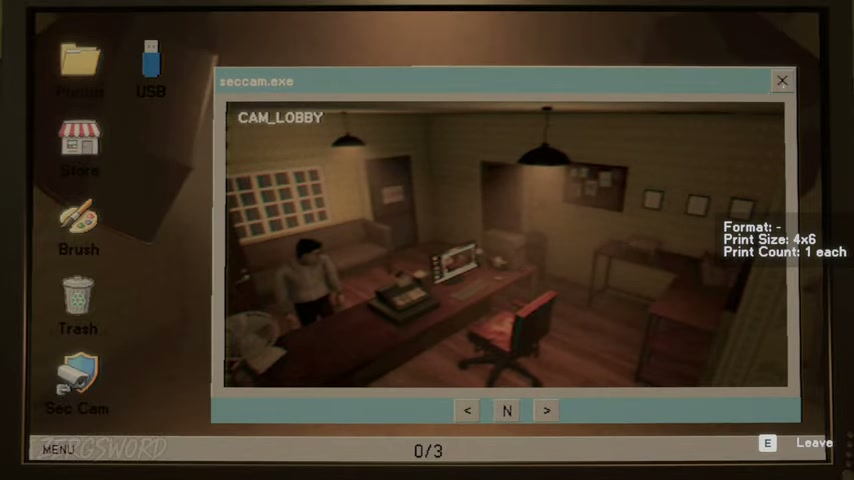
- Type
- USB
- Format
- –
- Print size
- 4 × 6
- Print count
- 1 each
- Source
- CAM_LOBBY monitoring image
Report an anomaly in order
- Spot an anomaly on the monitoring feed.
- Go to its location and photograph it.
- Move the photo to the PC.
- Use REPORT.
- Confirm it is gone before returning to the shift.
Camera locations in the tested route
The available Sec Cam views in the tested Day 3 route are lobby, bedroom, bathroom, back room, alley, and trash can. Sweep them regularly rather than waiting for one room to become a problem.
Backrooms: three practical checks
The tested Backrooms sequence uses the camera as a navigation and survival tool. Photograph the floor to see where you can walk, collect the ladder pieces, and use a photo to stun the pursuer long enough to keep moving.