Unofficial guide · Walkthrough, endings & orders

Photomaly field notes for the late shift

Run the studio with a clear next step. Start with the order on screen, follow its photo route, then check the print before delivery.

Official

Open for business

Photomaly released on Steam for Windows on July 21, 2026. The official description frames it as a first-person, PSX-style horror game about taking customer orders, photographing subjects, processing the results and keeping a small studio supplied and upgraded.

Release
July 21, 2026
Platform
Steam · Windows
Mode
Single-player
Guide state
Launch-week evidence pass

Know the room before the first order

The studio hub connects the counter, computer, camera space, and supply workflow. Learn the visible stations first; it makes a customer request easier to trace from capture through printing and delivery.
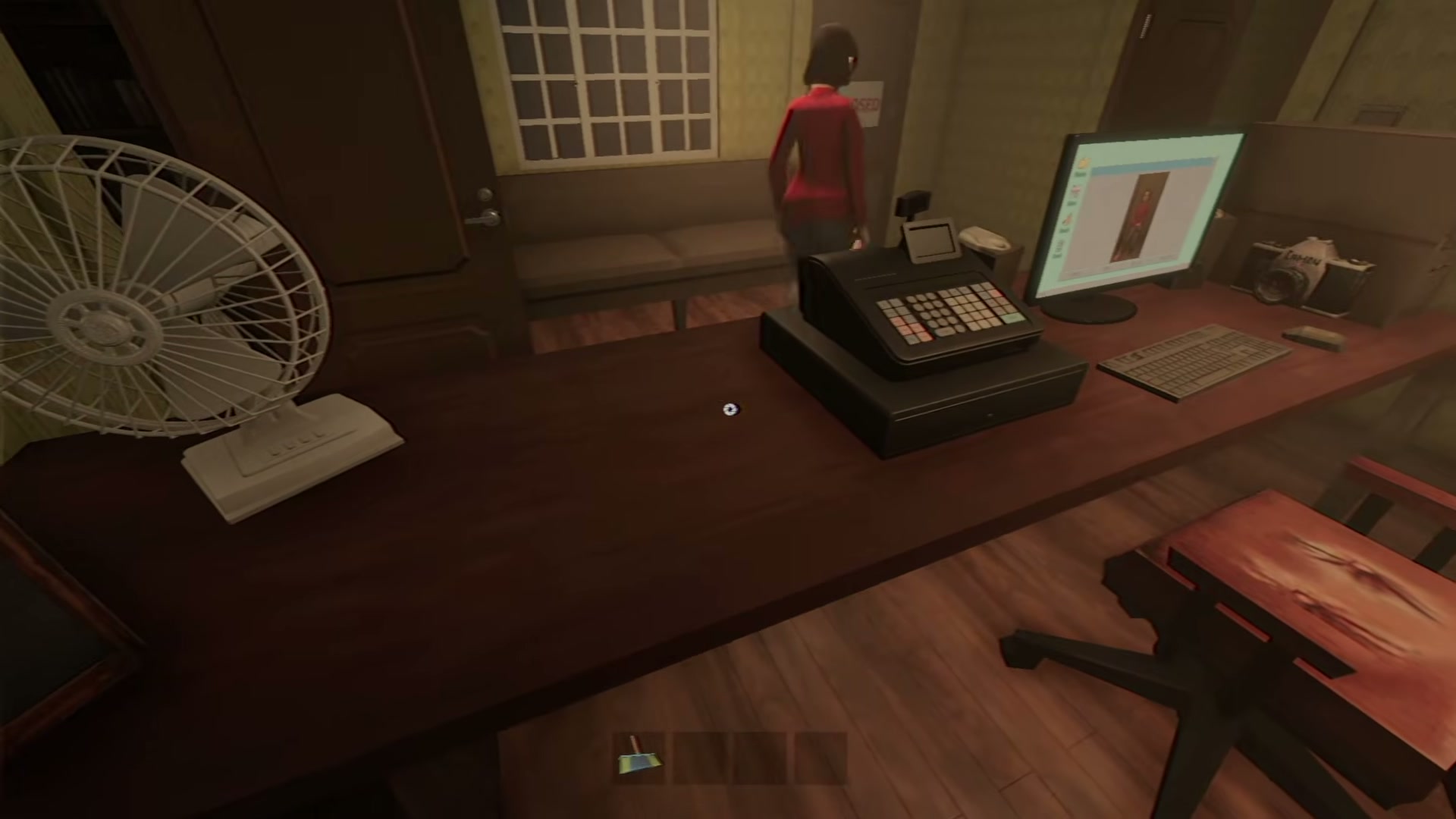
Photomaly gameplay reference frame showing the photography studio workspace with desk, computer, chair, doors, lamps, and counter area.
Gameplay reference frameThe studio workspace: your counter, computer, and equipment share one compact hub.

Choose the next frame

Follow the workflow in order if this is your first shift, or open the station where you are stuck.

01 Official Start the tutorial Learn the studio loop before the story starts to intrude. 02 Official Read the order Use the customer request as your checklist from photo to delivery — including film-order Frames. 03 Repeated release reports Plan the session What full-release players report for a first run. 04 Official Check PC requirements Official minimum and recommended Windows hardware, without guessed FPS. 05 Official fix Fix mouse dragging The official Quickfix #1 answer for mixed-input interference. 06 Official fix Check the incident log Current official fixes, with old Demo reports kept separate. 07 Official fix Use the current official fixes Quickfix #2–#4: input, FPS, later-game fallback and a save-photo repair. 08 Full-release test Process the photo in front of you Use the camera, USB, or film-roll route the current order gives you—then check the visible print request. 09 Full-release test Keep the studio stocked Paper, envelopes, and ink are all part of the current release workflow. Check them before the order asks for a print. 09b Full-release test Spend your profits wisely A tested buy-order for upgrades, backgrounds, and equipment that actually shortens your shift. 10 Full-release test Frame the camera shot Use the visible camera controls and the order's orientation before you take a picture. 11 Full-release test All 10 anomaly locations A tested Day 2–4 checklist for the 10 reports that control the ending route. 12 Full-release test Walkthrough and endings A spoiler-marked Day 1–5 route, the ending fork, the escape sequence, and a 100% plan. 13 Full-release test Unlock all 10 achievements A tested two-run plan for every release achievement. 14 Full-release test Photomaly Backrooms guide Three ladder pieces, the camera stun, and the tested exit route.

Pick up where you are stuck

Choose the job in front of you. Each route starts with the immediate task, then leads to the next useful question.

ROUTE 01

First shift

Learn the studio loop without story spoilers.

  1. Photomaly tutorial
  2. Orders
  3. How to take photos
ROUTE 02

Run the studio

Trace a live request from camera, USB, or film to the finished print.

  1. Photo processing
  2. Supplies and restocking
  3. Official fixes
ROUTE 03

Finish the case

Use the spoiler-marked completion route when you actively want outcomes and collectibles.

  1. Photomaly walkthrough
  2. All 10 anomaly locations
  3. Good and bad endings

The source rule

Guide facts come from the developer or Steam, a versioned full-release test, or repeated independent player reports. Screenshots illustrate the work; they do not prove hidden mechanics.