Front desk · User-tested order records
Photomaly order system: three routes, one careful handoff
Every order starts at the request, but its route changes the work. Match the fields, choose camera, USB, or film, and keep enough stock for the job waiting at the counter.
Read the five fields
The request controls the output. Camera jobs use portrait or landscape; USB jobs show a dash for Format. Film jobs add Frames. Colour and black-and-white are separate output choices, so do not treat colour as implied by size.
- Format
- Portrait, landscape, or a dash on USB work
- Print size
- 2 × 3, 3 × 4, or 4 × 6
- Count
- A number of prints, or 1 each for tested USB jobs
- Output
- Colour or B&W as a separate check
- Frames
- Film-order field; not wall decoration
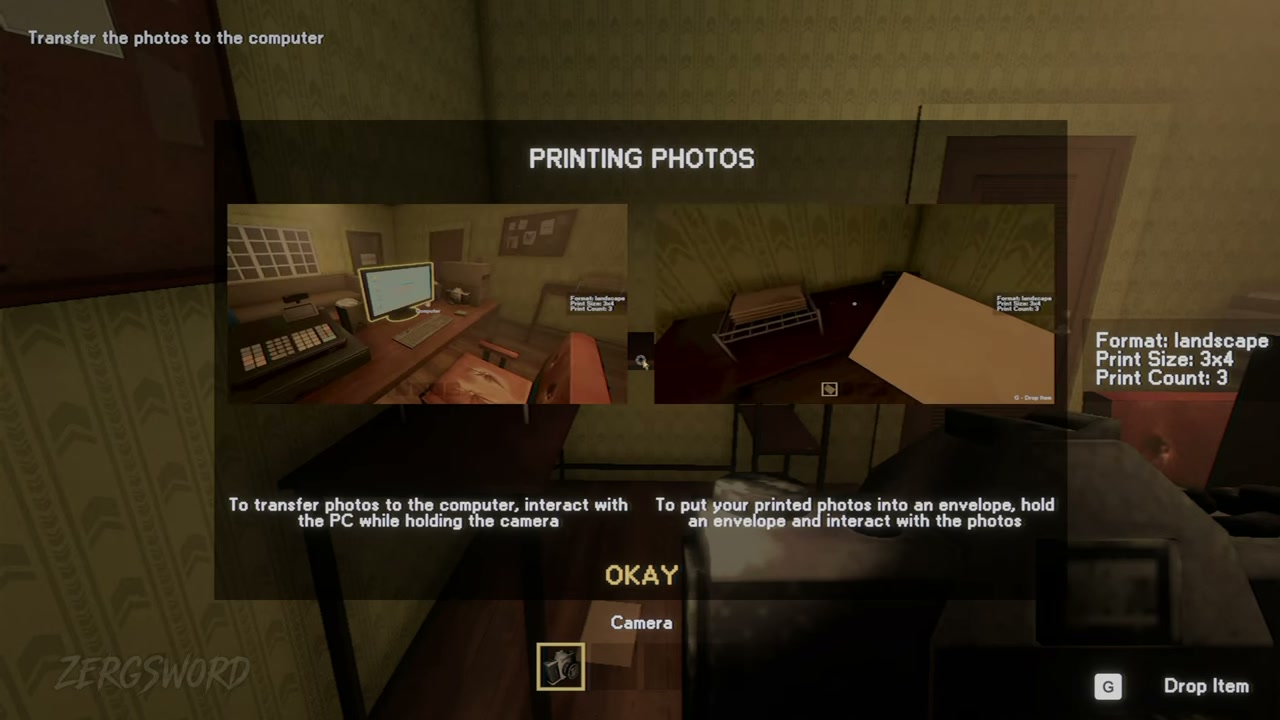
Direct customer portrait shot in the studio workspace.
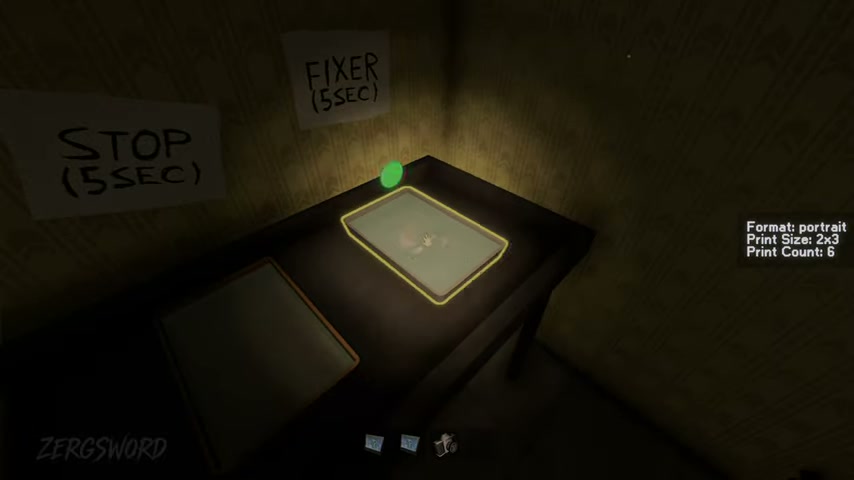
Chemical processing in the red-light darkroom before drying.
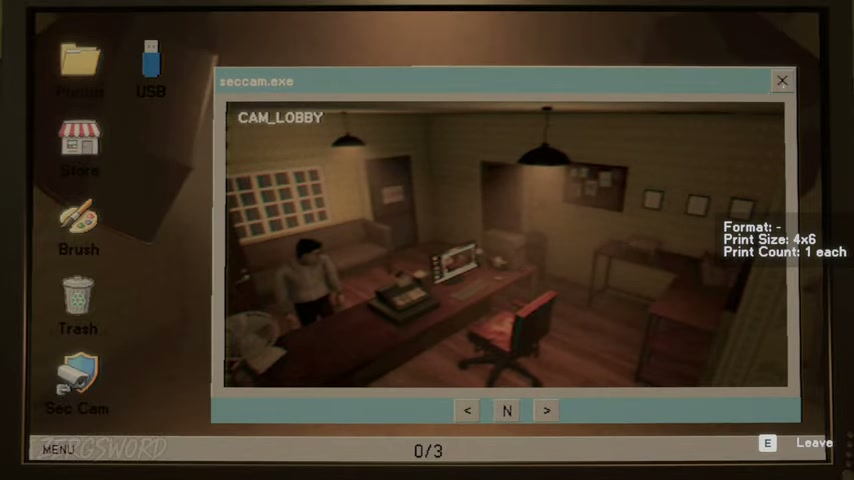
Digital export and print from the surveillance computer app.
Choose the route the request gives you
Camera work begins in the photo room. USB work begins at the PC with supplied files. Film work unlocks the darkroom and ends with a dried set in an envelope. Do not move a job into another route just because its print size looks familiar.
| Route | Working path | Supplies to check |
|---|---|---|
| Camera | Photo room → PC → printer → envelope | Paper, ink, envelope |
| USB | PC files → printer → envelope | Paper, ink, envelope |
| Film | Darkroom → drying rack → envelope | Envelope |
Protect the handoff
- Read the request before the photo, not after the print queue has started.
- For large camera jobs, check paper and ink before taking the shot.
- Keep customer film, the contact’s film, and special rolls separate.
- Use the current request and delivery prompt as the last check.
Short, sourced answers
What does Frames mean in a Photomaly film order?
Frames belongs to the film request. It is not the decorative wall-frame item; follow the live film request and darkroom route.
Which supplies do camera and USB orders use?
The tested routes use paper, ink, and an envelope. Film work uses the darkroom route and an envelope for the finished set.
Does a USB order need portrait or landscape?
The tested USB orders show a dash in the Format field and use 1 each. Keep the live request visible in case a later job differs.